Features
Everything a club needs, every day
Eight modules in one application — from the floor to the backups. Every screen below is captured from EasyControl 0.6.0.
01 / 08
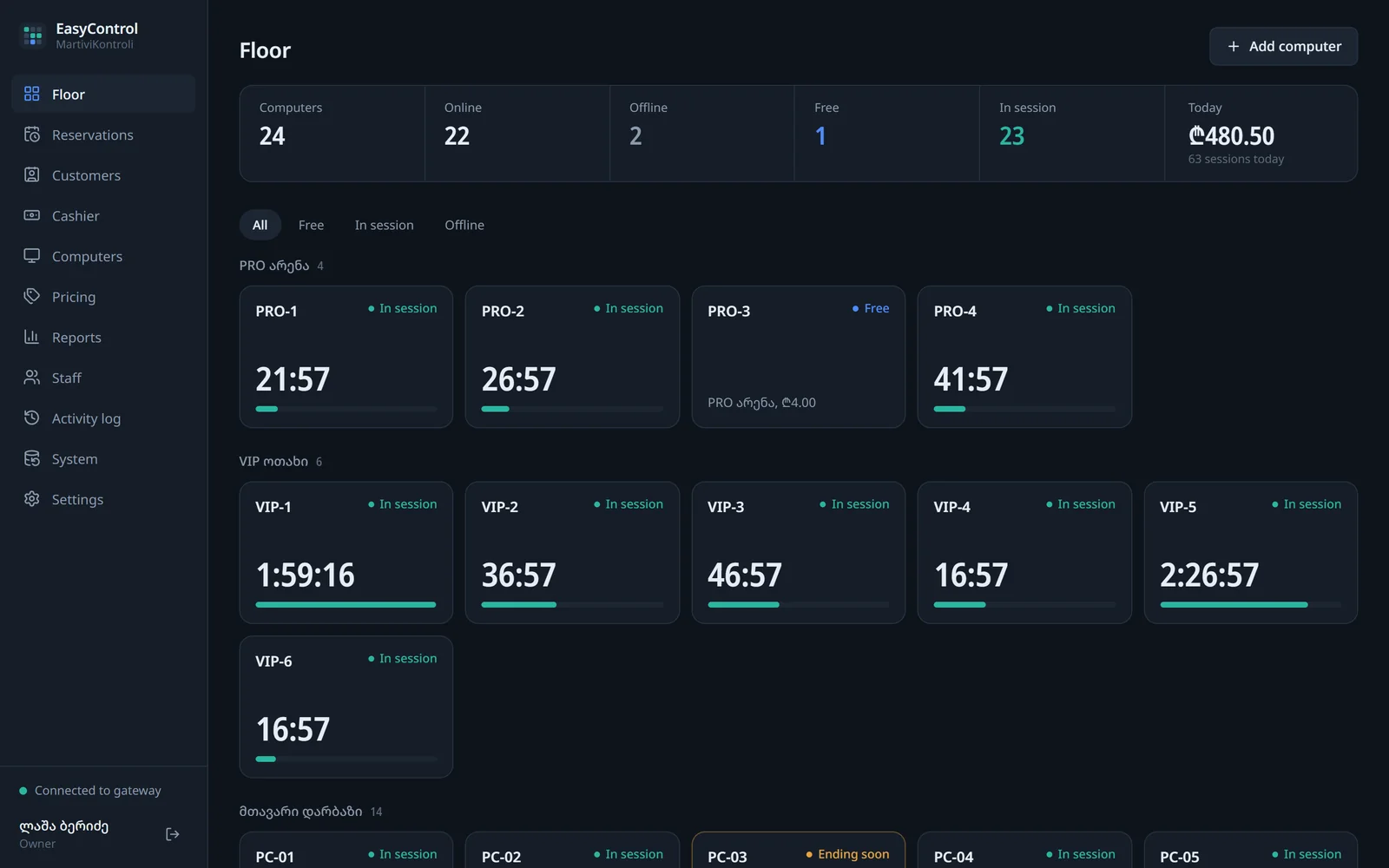
Computer management
The floor map shows every computer’s state and remaining time at a glance. Zones and groups mirror the real layout of your club.
- Zones and groups: main hall, VIP room, PRO arena — each with its own rate
- Colour-coded status: free, in session, ending, offline
- Computer panel: remaining time, recent sessions and agent load
- Remote commands: lock, restart the customer screen, sign out, restart and shut down
- The customer screen warns 15, 5 and 1 minute before the end — the owner sets the times
02 / 08
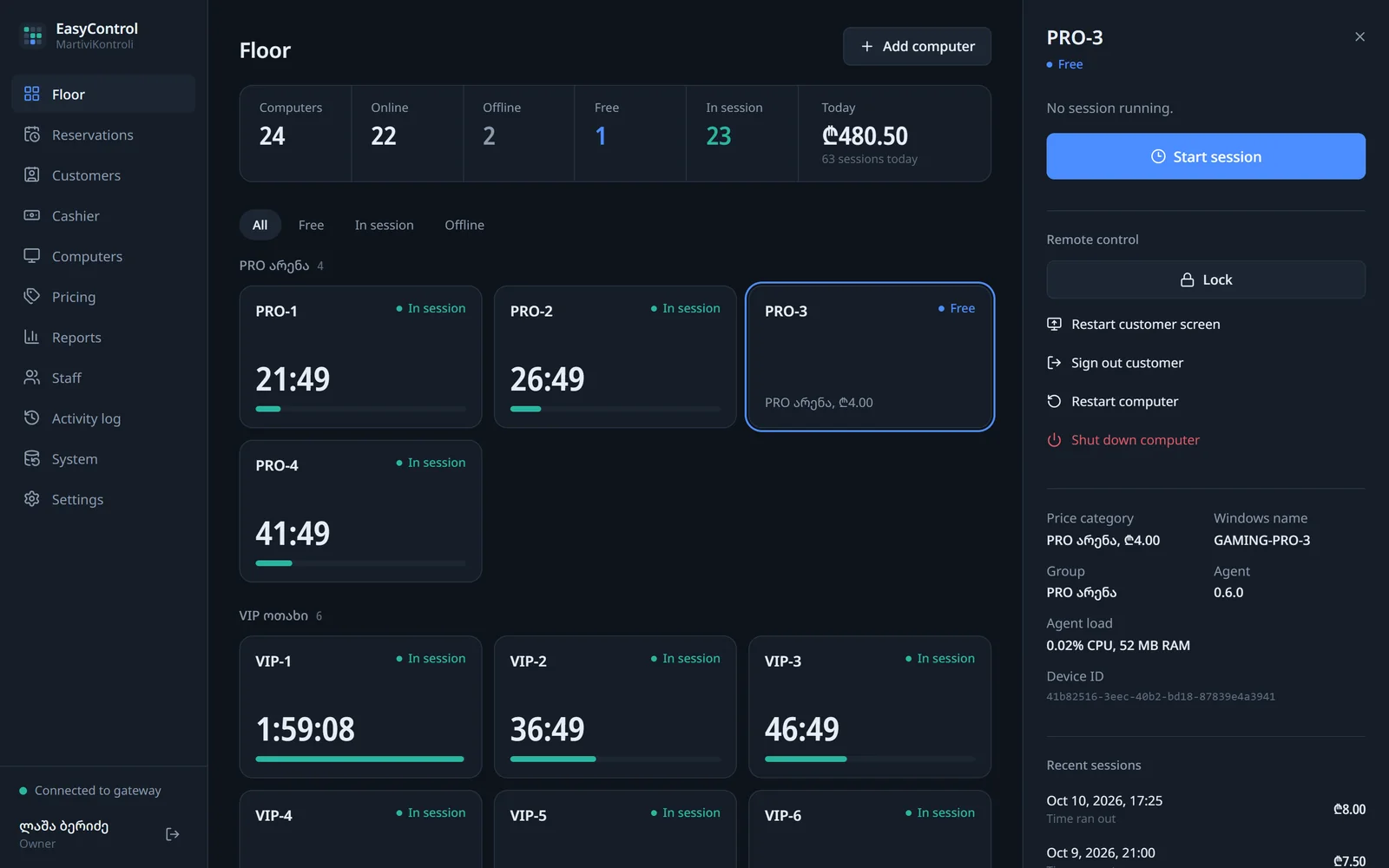
Sessions
Start, extend or end a session from the computer panel in a few clicks. The server calculates the price, so a request sent twice is never charged twice.
- Hourly sale at the zone rate, or a fixed-price package
- Extend a running session, also from a prepaid balance
- Time corrections and cancellations with a reason
- Refunds by the owner only, never more than was paid
- The same request is never charged twice — even if the connection drops
03 / 08
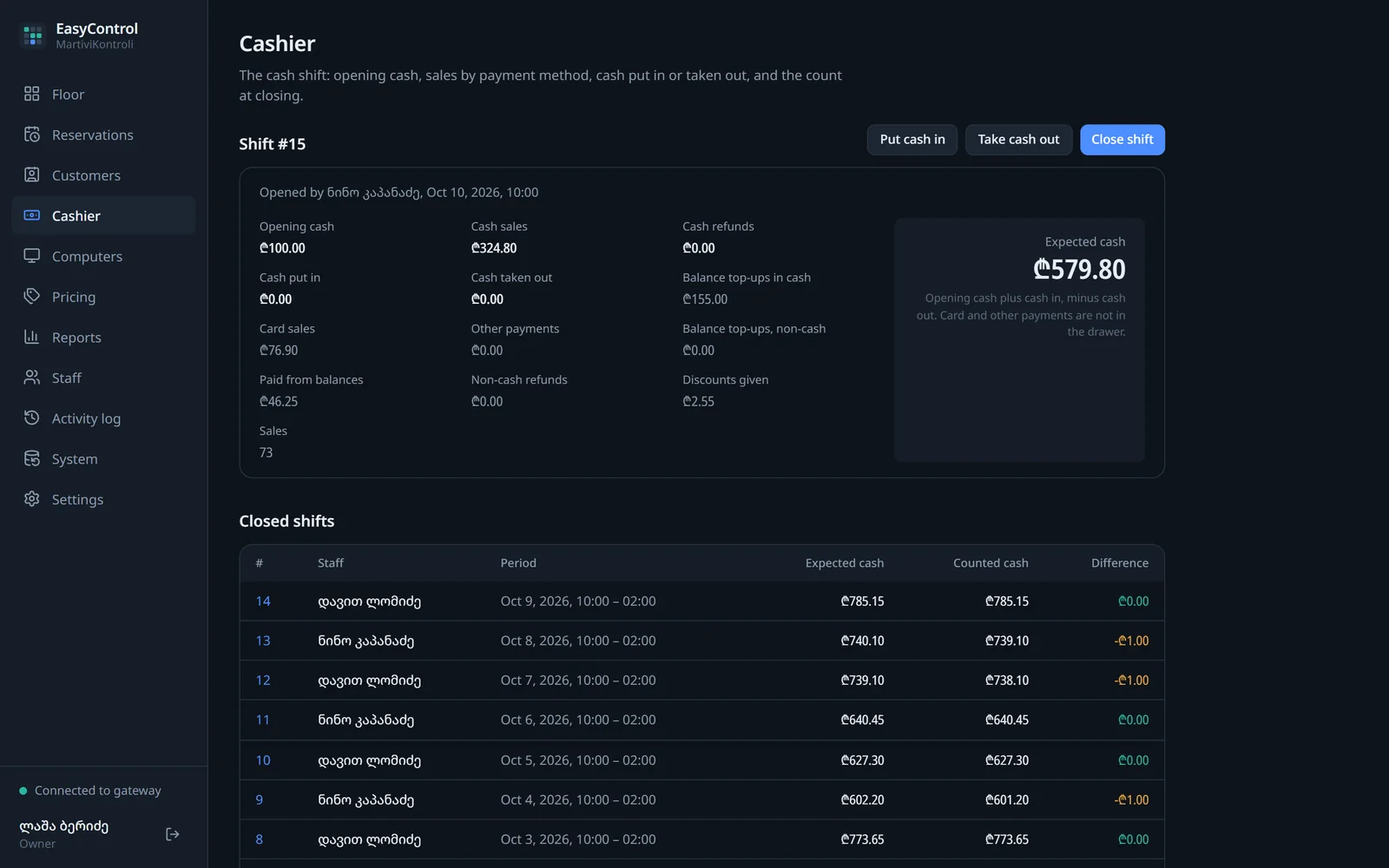
Cashier and shifts
Every shift opens with a cash float and closes with a count. The system calculates the expected amount and records any difference.
- Open a shift with a cash float
- Pay-ins and pay-outs — always with a reason
- Sales in cash, by card, other methods and from balances
- Expected and counted cash at closing, and the difference
- Card payments are recorded; card data is never stored
04 / 08
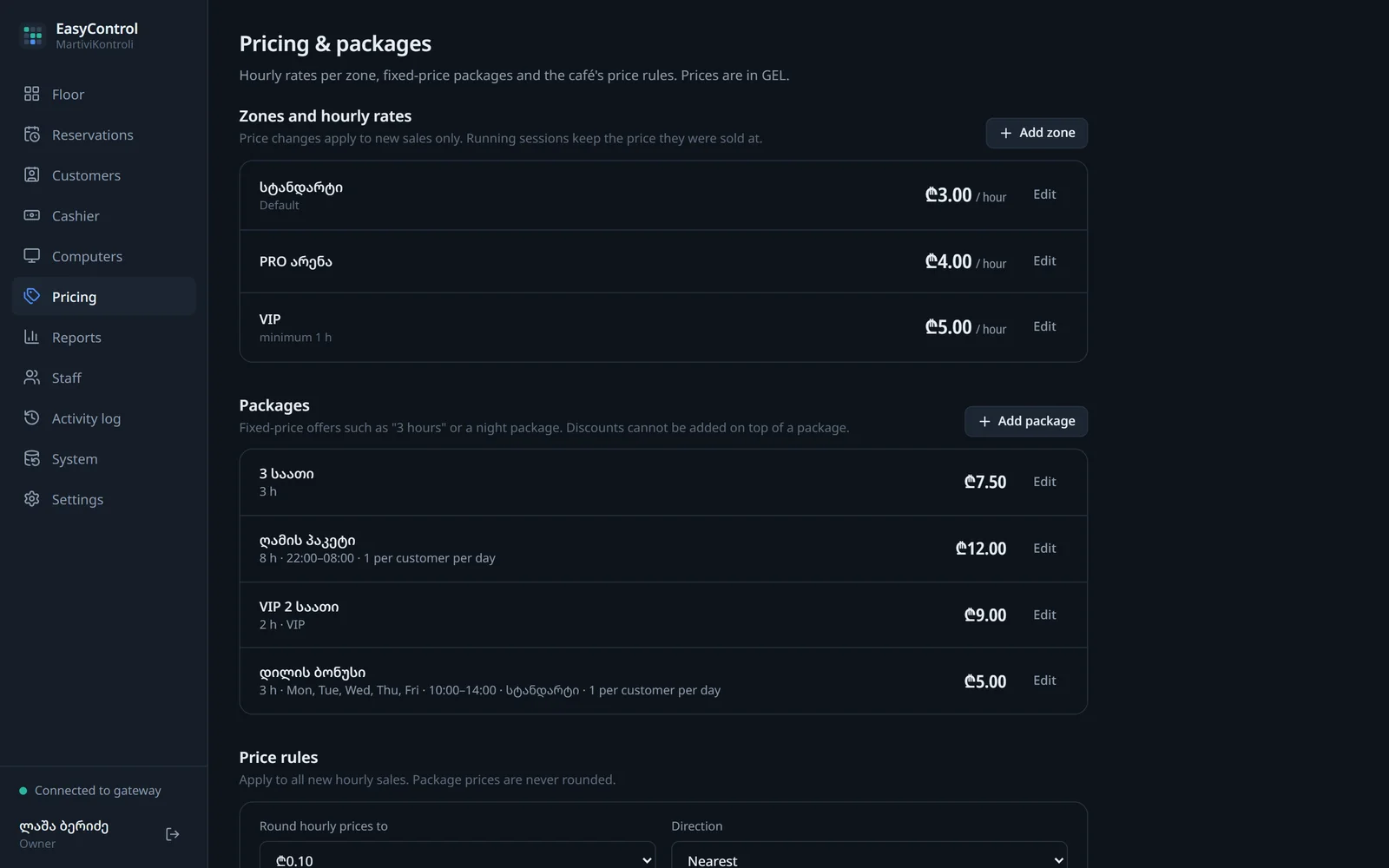
Rates and packages
An hourly rate per zone, fixed-price packages — a night package, for example — and discounts within a limit the owner sets.
- Hourly rate and minimum time per zone
- Packages: weekdays, time window, validity and a per-customer limit
- Rounding rules to the tetri
- The owner sets the operators’ maximum discount
- A price change never alters time already sold
05 / 08
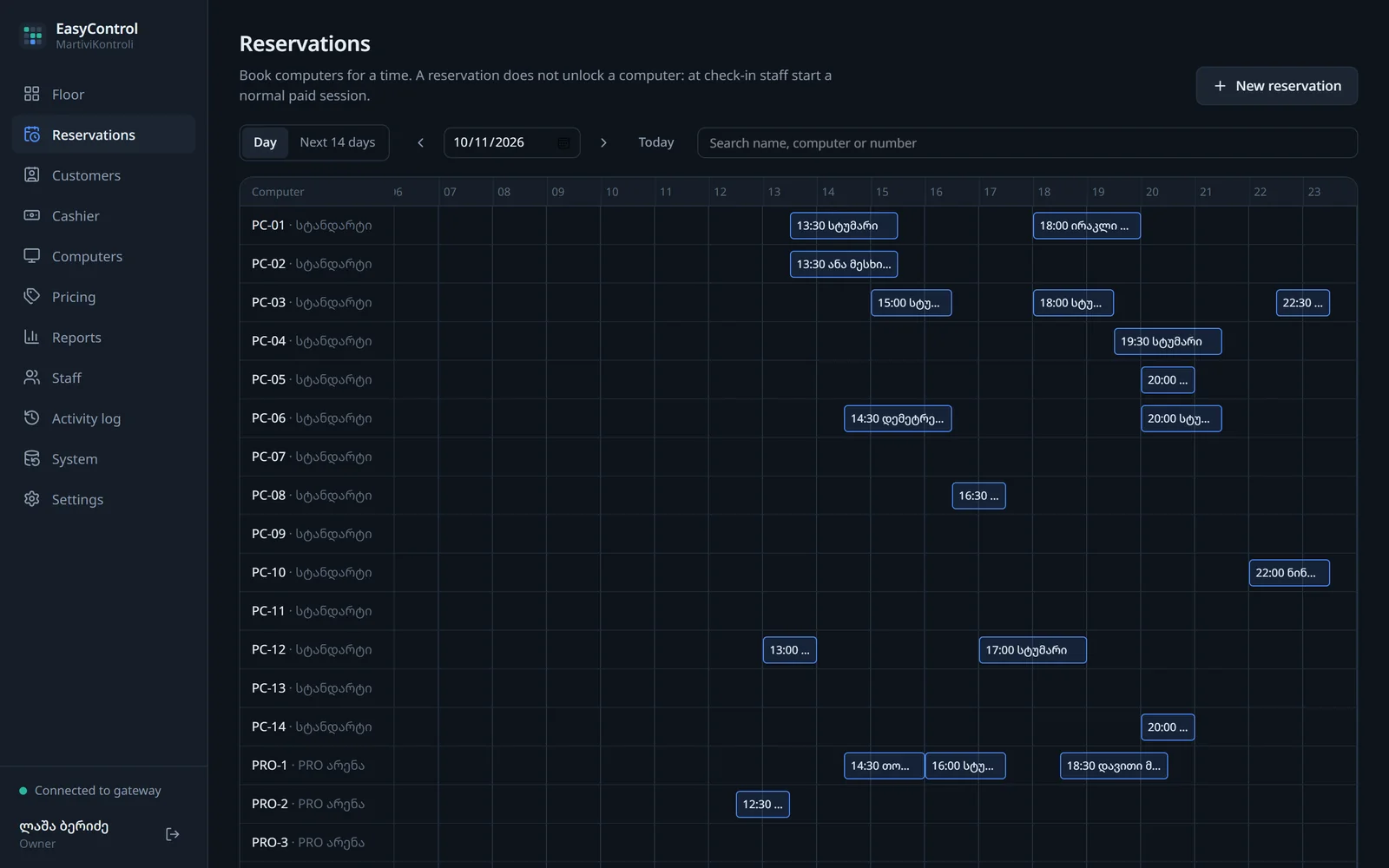
Reservations
The timeline shows who is coming, to which computer and when. Two bookings can never land on the same time — the system refuses it.
- Book a specific computer, or any free computer in a zone
- Overlapping bookings are refused, down to the database
- On arrival the booking becomes a normal paid session
- No-shows and expired bookings are recorded automatically
- Guest phone numbers are deleted after 30 days
06 / 08
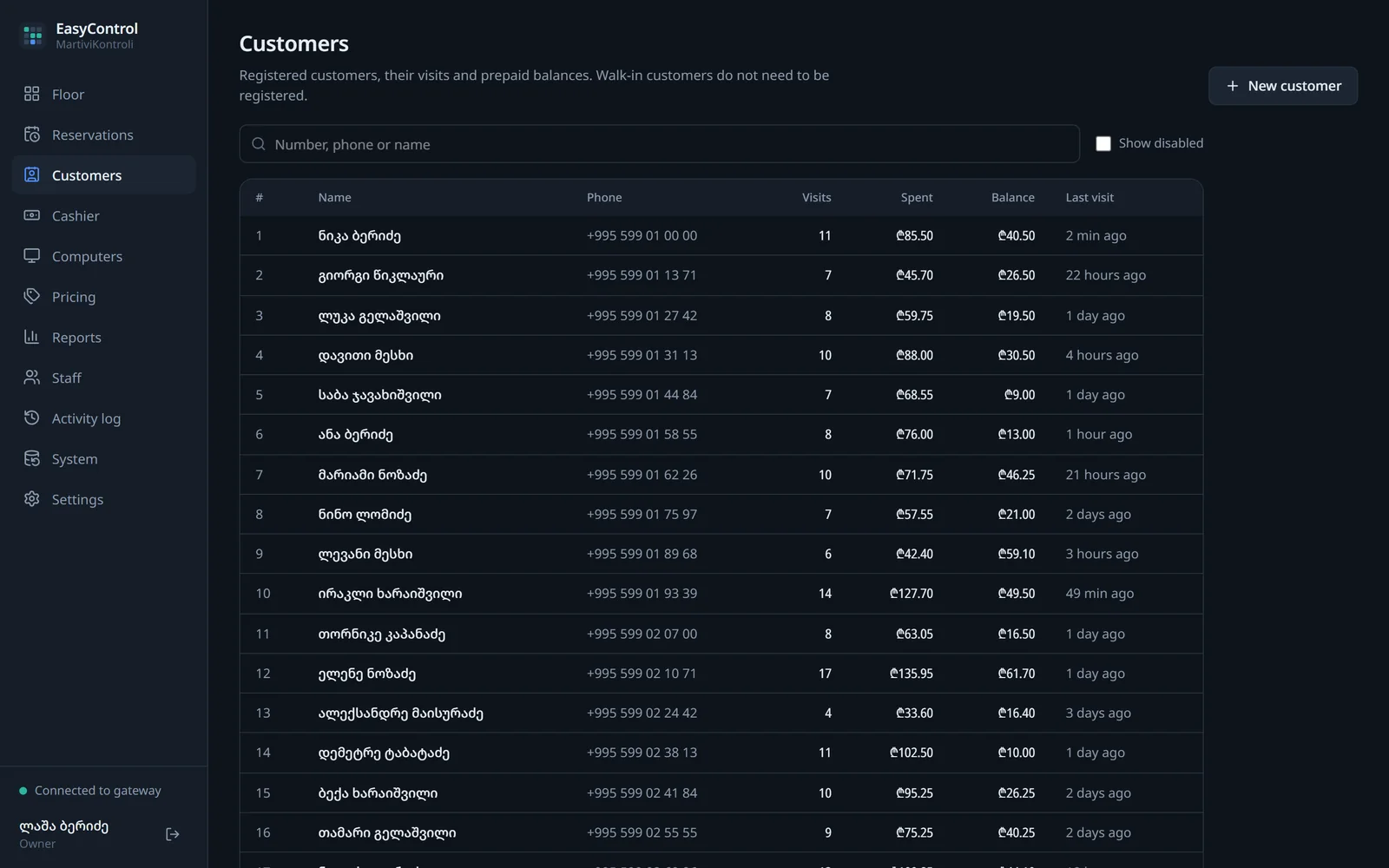
Customers
Customer profiles with visits, total spent and a prepaid balance. Operators only see part of the phone number.
- Profile, visit history and total spent
- Prepaid balance; every change is in a ledger
- Operators see phone numbers masked
- Anonymisation when the balance is zero
- Georgian and international numbers in one format
07 / 08
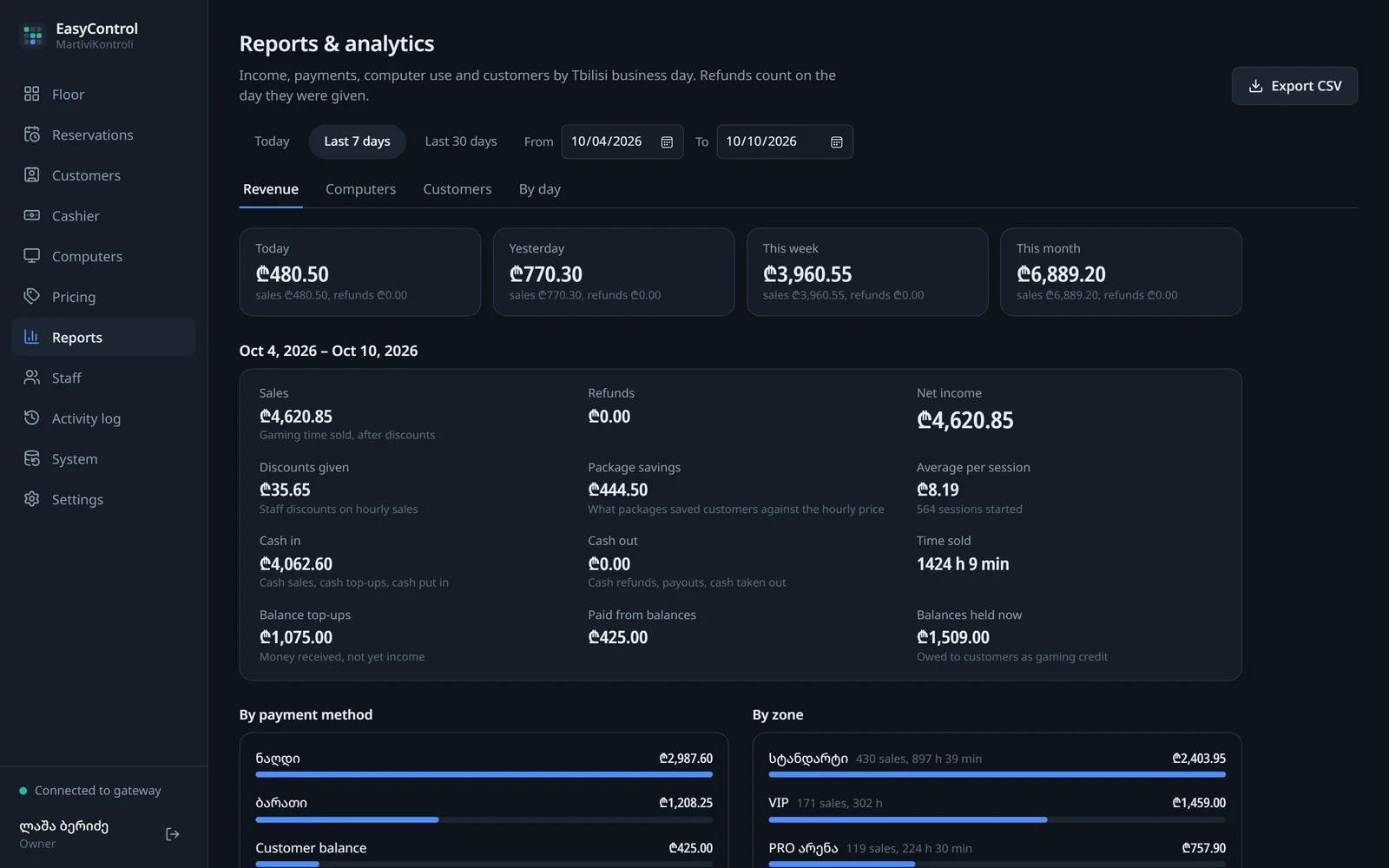
Analytics
Revenue by payment method, zone and package, computer utilization based on your opening hours, and CSV export.
- Day, week, month or any period up to 92 days
- Revenue by payment method, zone and package
- Utilization by opening hours: occupied, idle, offline and maintenance
- Time without records is shown separately — never invented
- CSV export for the owner only
08 / 08
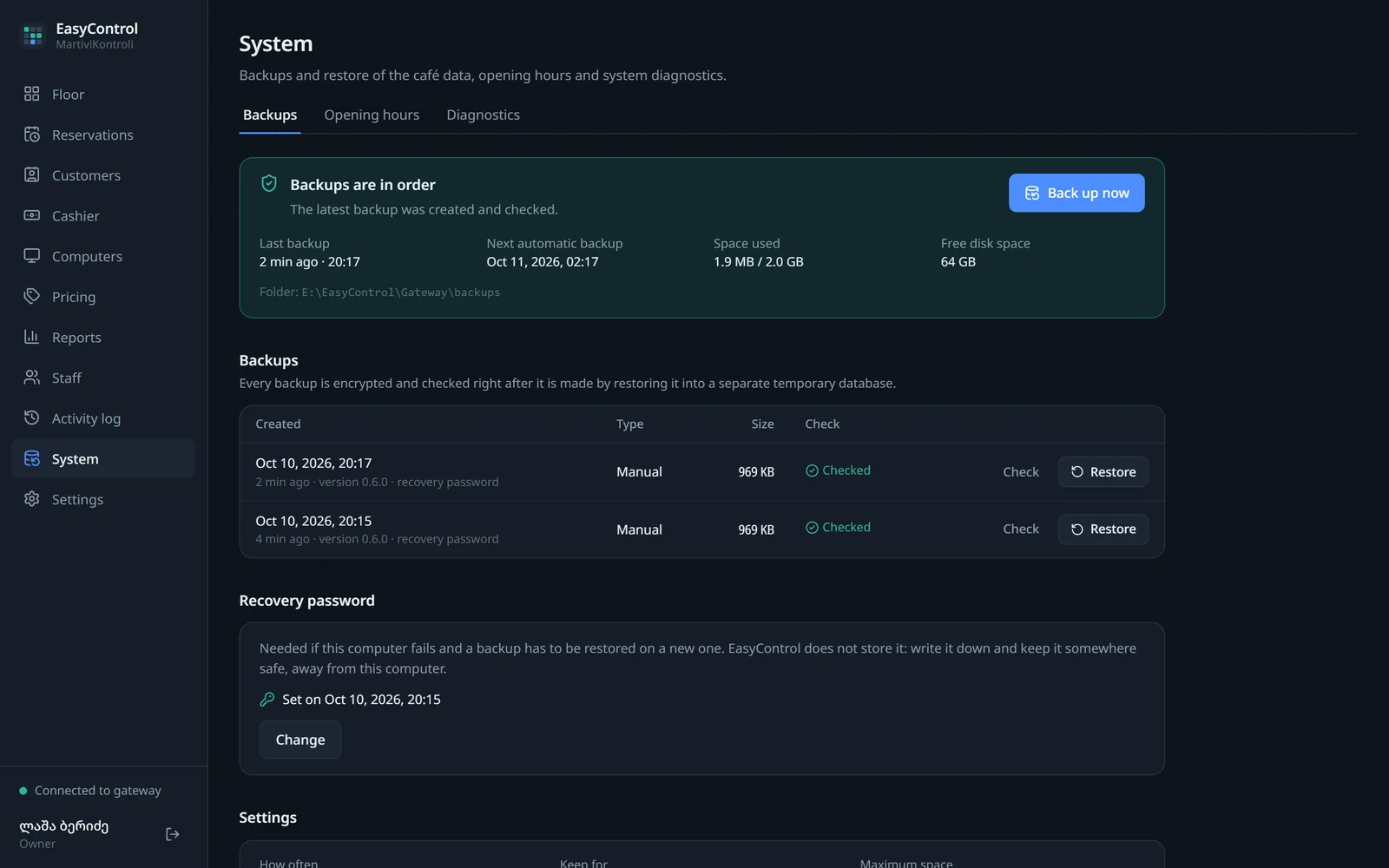
Backups
Automatic encrypted backups, verification of each one and a step-by-step restore. Before restoring, the system backs up the current state too.
- Scheduled automatic backups, plus a manual backup at any time
- AES-256-GCM encryption
- Every backup is verified separately, in a temporary database
- A backup of the current data is made before restoring; on any error the change is rolled back
- A recovery password restores a backup on a new computer
Not there yet
- Integration with bank terminals or online payments
- Managing several branches together, or cloud management
- Verification on real gaming PCs and with real games (ahead, in the pilot)